← Quick Start · Home · Patient Records →
Systole is the PEDAL Network's application for cardiopulmonary exercise testing (CPET) data management. It supports the full CPET workflow — from data entry through normative comparison, clinical reporting, exercise prescription, and registry export.
Core capabilities:
.sum files, Systole .pedal files (v3.0–v5.0),
and direct read-only access to a BreezeSuite MedGraphics SQL Server
database.The Systole interface is organized into top-level tabs, in workflow order:
| Tab | Purpose |
|---|---|
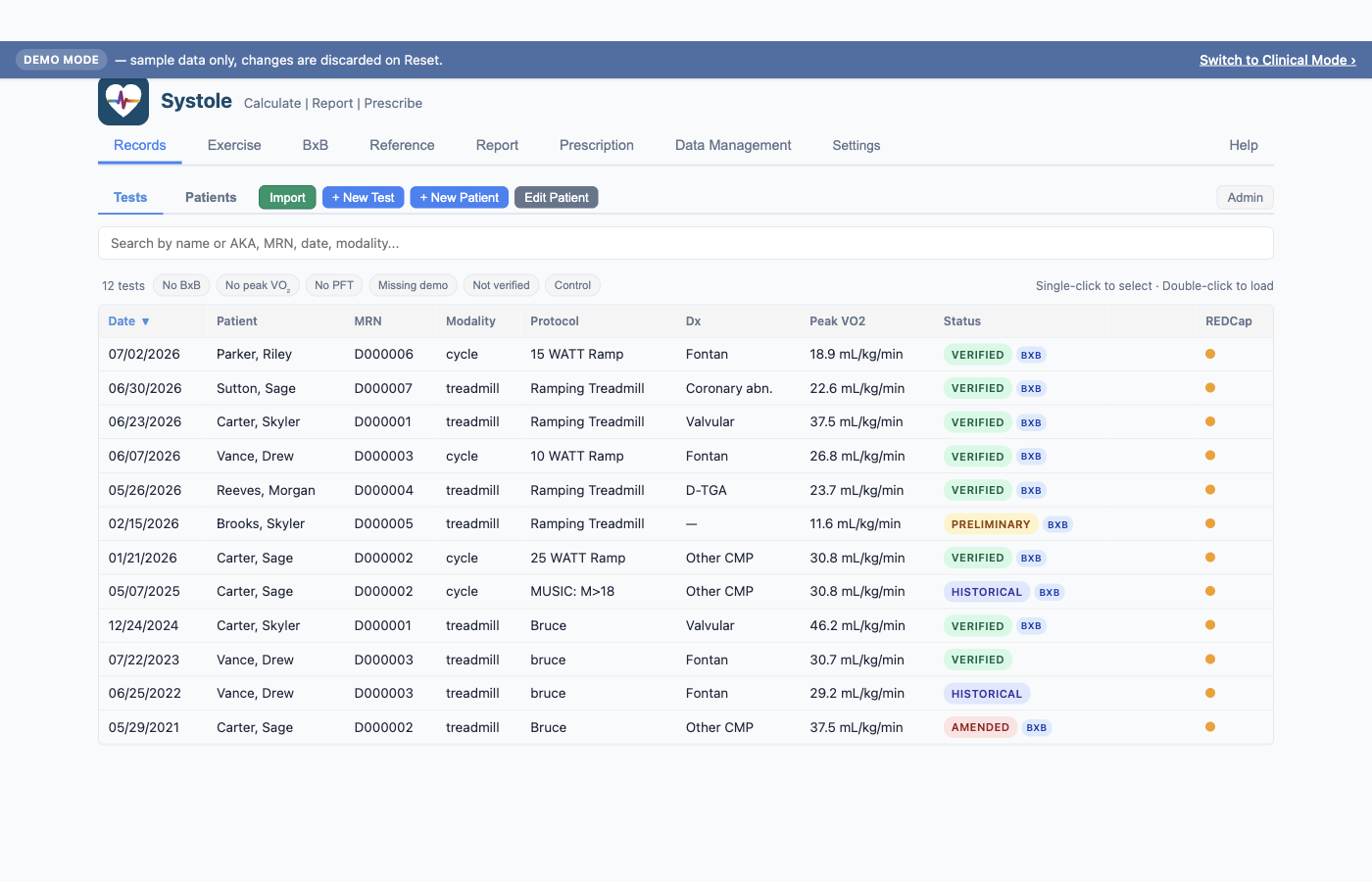
| Records | Home screen. Lists all patients and tests; sub-tabs for Tests, Patients, and Review queue. Entry point for import, new patient, and new test. |
| Exercise | Patient demographics, test metadata, and observed CPET data entry (Rest / AT / Peak / Recovery columns). |
| BxB | Breath-by-breath data — Wasserman 9-panel plot and time-down data table. Appears only when a test has BxB data. |
| Reference | The 8 normative prediction equations with status indicators and detail panel. |
| Report | Auto-generated clinical impression, narrative fields, and historical trend charts. |
| Prescription | FORCE / Budts risk stratification and individualized exercise prescription. |
| Data Management | Bulk import, .pedal and REDCap exports, Site ID, MRN
normalization, and protocol mappings. |
| Settings | Application Mode (Demo / Clinical), normative defaults, BxB averaging, database management, auto-backup, MedGraphics connection, developer options. |
| Debug | Hidden by default. Enable in Settings → Developer Options for raw data inspection. |
Systole is designed for exercise physiologists, exercise cardiologists, and research coordinators at PEDAL Network sites who need to:
Systole maintains two completely separate databases:
pedal.db)demo.db) with 7 patients and 12 tests covering
pediatric–adult ages, cycle and treadmill modalities, and BxB / non-BxB
casesSwitching modes restarts the app but never moves or merges data. A persistent banner indicates when you are in Demo mode. Reset Demo Data restores the bundled seed at any time without touching clinical data.
A fresh install opens in Demo mode by default; existing installs with
pedal.db open in Clinical mode automatically.

Systole runs entirely on your local machine. No patient data is transmitted over the internet. All data is stored in a local SQLite database on your computer. This makes it safe for use with protected health information (PHI) without requiring network security infrastructure.
The MedGraphics direct integration uses a read-only SQL Server connection from your machine to your institution's existing BreezeSuite database — no new network exposure beyond the existing CPET system.
Exported files (.pedal, .csv) are saved to
your local filesystem. You are responsible for handling these files
according to your institution's data governance policies.